Platform, not broker
CFD trading platform
Pulsar is the terminal, not the broker. We do not offer CFDs, hold client money, or quote you a spread. You bring the account. We provide the execution and analysis layer that sits on top of it.
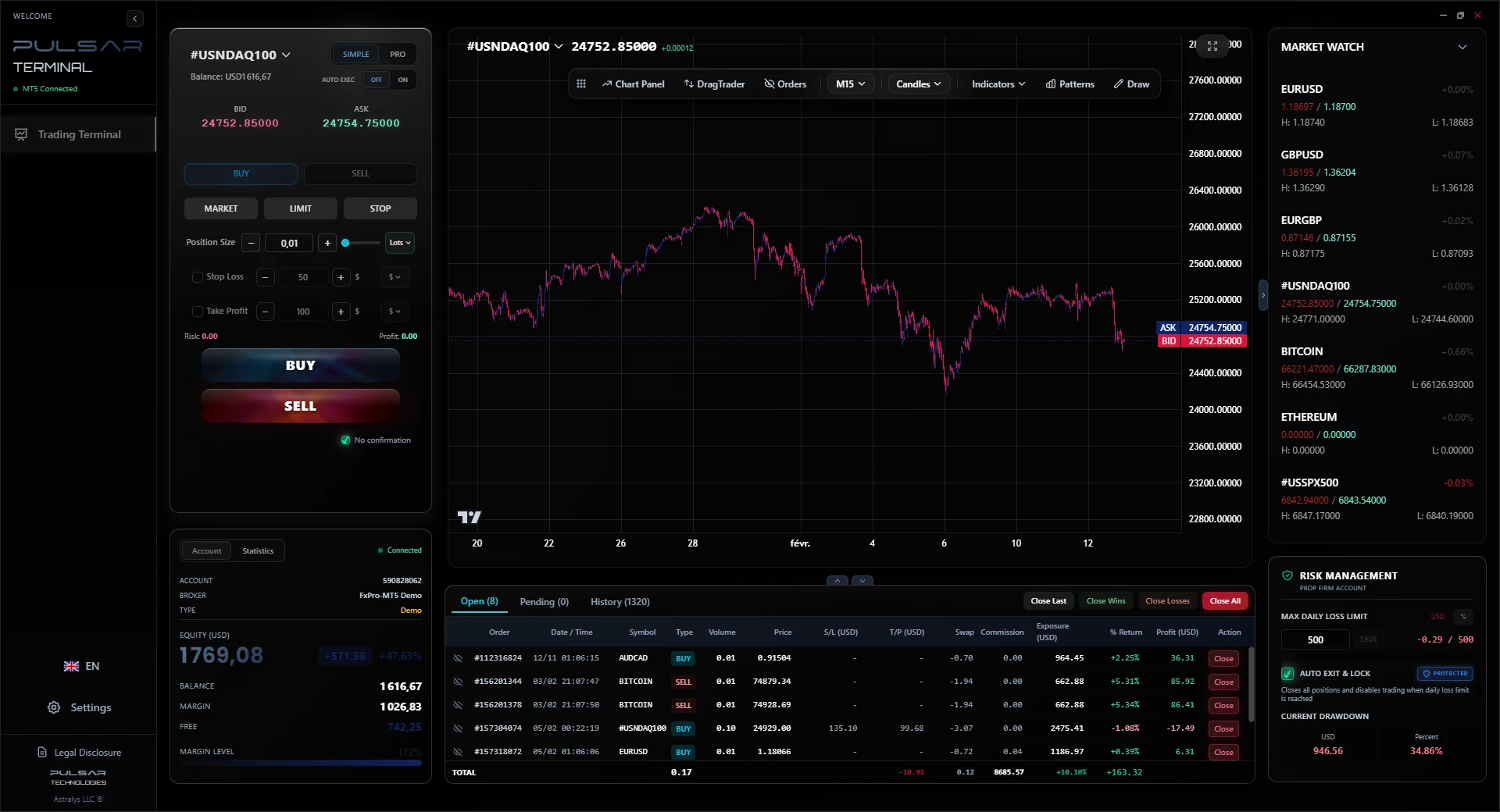
What to look for in a CFD trading platform
Eight criteria worth comparing across any platform you are considering, with where Pulsar stands on each. Where it is the wrong tool, that is marked too. You will find out anyway, and it is cheaper for both of us if you find out now.
Risk controls that act on their own
What to check
Whether the platform can size a position from your risk, cap a day, and ladder an exit without you doing arithmetic mid-trade.
Where Pulsar stands
Position sizing from a risk amount, a daily loss limit that flattens and locks the account, up to 3 take profit levels with automatic partial closes, trailing stop in pips, price or currency, and automatic breakeven.
Order entry that matches how you read a chart
What to check
Whether you can act on a level directly, or whether every decision routes through a dialog box.
Where Pulsar stands
Orders are placed and moved by dragging on the chart. Stops and targets are dragged to the level you want. One-click execution from a Simple or a Pro panel.
Charting depth
What to check
Whether the analysis you actually use is native, or bolted on through third party indicators.
Where Pulsar stands
Volume Profile and Market Profile are built in, alongside drawing tools and chart pattern placement.
Where it is not the right fit: If your process depends on a large library of community indicators, MetaTrader and TradingView have deeper ecosystems than we do.
Independence from a single venue
What to check
Whether changing broker means learning a new platform, and whether the platform vendor and the broker are the same company.
Where Pulsar stands
The platform edition connects DXFeed, Rithmic, a proprietary feed, any broker API, or FIX. The MT5 edition rides on your existing MetaTrader 5 account, whoever your broker is.
Cost structure you can predict
What to check
Whether the platform is free but paid for through wider spreads, or priced openly and separately from execution.
Where Pulsar stands
Priced openly and separately. The MetaTrader 5 edition is 30 USD for 6 months or 49 USD for 1 year. The platform edition runs 14, 89 or 350 USD per month depending on connectivity. We take nothing from your spread because we are not in your execution chain.
Multi-account and evaluation support
What to check
Whether the platform handles several accounts with different rules, which matters if you run funded or evaluation accounts alongside your own.
Where Pulsar stands
Risk rules including the daily loss limit are configured per account, so an evaluation account and a personal account can run under different constraints.
Automation and backtesting
What to check
Whether you need to develop, test and run automated strategies.
Where Pulsar stands
Pulsar automates risk handling on trades you open yourself: trailing, breakeven, partial closes, daily limits.
Where it is not the right fit: It has no strategy engine and no backtester. If automated strategy development is your main use case, MetaTrader 5 is the better tool and Pulsar is the wrong purchase.
Where it runs
What to check
Which operating systems and devices you need to trade from.
Where Pulsar stands
A Windows desktop application, built for a full-size screen and a keyboard.
Where it is not the right fit: There is no mobile application and no browser version. If you manage positions from a phone, this does not replace that.
On your existing account
The MetaTrader 5 edition
If your CFD account runs on MetaTrader 5, this edition connects to it through a local bridge and becomes the surface you trade from. Your broker, your account and your execution path do not change.
See the MT5 editionIndependent of MetaTrader
The platform edition
Connects DXFeed, Rithmic, a proprietary feed, a broker API or FIX, with no MetaTrader in the chain. It also runs fully simulated, which is how evaluation programs and training desks use it.
See platform capabilitiesWhat you get in the terminal
Drag Trader
Place a new order by dragging it onto the chart, and move stops and targets the same way.
Multi-level SL/TP
Up to 3 stop loss and take profit levels per position, with percentage allocation and partial closes.
Risk Management Engine
Risk-based sizing, a daily loss limit that flattens the account, trailing stop and automatic breakeven.
Volume and Market Profile
Both profiles built into the charting, without a third party indicator.
Seven themes
From the institutional Nebula to the retail Astral, with custom palettes on white label deployments.
Simple and Pro panels
Two densities of the same terminal, so the interface matches how much you need on screen.
Risk warning
CFDs are leveraged products. They carry a high risk of losing money rapidly, and losses can exceed the amount you initially deposit depending on your account terms. Pulsar is trading software and provides no investment advice, no signals and no recommendations. Nothing on this page is an inducement to trade.
Judge it on your own charts
The 7 day demo is the complete terminal on a MetaTrader 5 demo account, with no payment details required. It is a faster answer than any comparison table, this one included.
Start the 7 day demo